How to Download Stock Prices into Google Spreadsheets
This post provides an alternative to downloading stock prices in excel, for those who prefer to manage their portfolio in Google Spreadsheets.
Google Spreadsheets have become quite powerful and can be used to perform complex calculations and create dynamic dashboards. Just like in excel, you can import data from external sources into google spreadsheets. Let’s look at the different ways to do so. Open a new google spreadsheet and following the following steps.
Using Google Finance
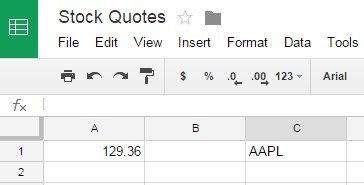
Let’s say you want to retrieve the last stock price for Apple. The symbol for Apple stock is AAPL.
In a cell type =GoogleFinance("AAPL","price")
The above function will fetch the current price for Apple stock from Google Finance.
The GoogleFinance function can be used to retrieve both current and historical information about the securities. The full format of the function is given below:
1GOOGLEFINANCE(ticker, [attribute], [